AI Employee Program

AI employees that handle the recurring work.

Oi Alfred Tech designs and manages AI agents that run defined business workflows: intake, follow-up, scheduling, content, research, documents, and internal handoffs. You get the output without managing the technology.

Compare tiers
Starts at
$500/mo
Setup
2-4 weeks
Control
Approval gates
Example operating loop
  1. Trigger arrives
  2. Agent prepares the work
  3. Tools are updated
  4. Human approves sensitive steps
  5. Client receives the output

What it is

Not more software. A managed worker for a defined workflow.

Most owners do not want another dashboard to babysit. They want intake answered, leads followed up, documents organized, content drafted, and repetitive work handled with clear accountability.

Managed operational staff

This is not a one-time automation handoff. Oi Alfred Tech configures the agent, monitors it, improves prompts, and keeps the workflow healthy each month.

Connected to real tools

AI employees can work across the systems the business already uses: inboxes, calendars, WhatsApp, forms, spreadsheets, docs, CRM, and internal dashboards.

Human control stays in place

Sensitive actions get approval gates. The agent can prepare, organize, draft, and recommend, while the owner approves anything that needs judgment.

How it works

The agent does the repeatable part. People keep the judgment.

Each AI Employee has a job description, a trigger, a set of connected tools, output standards, escalation rules, and monthly care. That is what makes it useful in real operations instead of a flashy demo.

01Define the workflow
02Connect approved tools
03Test with real cases
04Monitor every month

Service tiers

Start with one agent, then grow into a small AI team.

The right tier depends on workflow complexity, data risk, connected tools, volume, and how often the business needs changes after launch.

$1,500 setup

Alfred Solo

$500-$1,000/mo

Solo service owners, beauty professionals, freelancers, and local businesses.

A focused AI employee for one clear workflow, such as booking, lead follow-up, content scheduling, or intake.

  • 1 configured AI agent
  • Unlimited usage inside the defined workflow
  • Monthly check-in and agent health review
  • Up to 2 workflow updates per month
  • WhatsApp or email monitoring alerts
$2,500 setup

Alfred Professional

$2,000-$4,000/mo

Law firms, agencies, consultants, real estate, insurance, and service teams.

A managed workspace for multiple repeating workflows where quality, reliability, and review matter.

  • Up to 3 configured AI agents
  • Dedicated client workspace
  • Weekly performance review
  • Up to 5 workflow or prompt updates per month
  • Watchdog monitoring and priority support window
$3,500 setup

Alfred Business

$5,000-$8,000/mo

Multi-workflow teams, agencies, operations groups, and growing SMBs.

A higher-capacity agent operation for teams that need multiple agents coordinating across departments.

  • Up to 10 configured AI agents
  • Meta-agent orchestration for coordinated workflows
  • Weekly reviews and monthly roadmap session
  • Token and API spend monitoring with alerts
  • Quarterly security and data-access audit

Agent examples

Useful agents have a narrow job and a measurable output.

These are examples of the first AI Employees a business can launch. The scope is intentionally concrete so the agent can be tested, monitored, and improved.
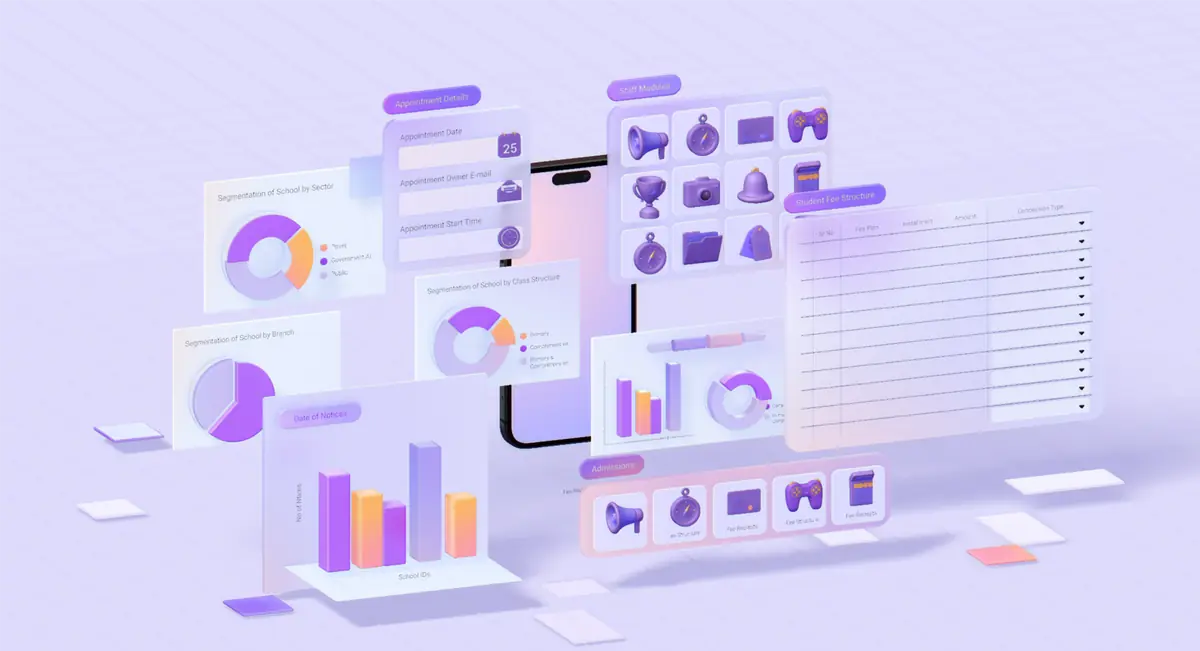
AI Employee dashboard showing intake, follow-up status, task queues, and workflow health.

Intake and booking assistant

Trigger
New inquiry from Instagram, WhatsApp, a form, or email.
Output
Qualifies the request, checks availability, replies with options, books approved slots, and logs the lead.
Connected tools
WhatsApp, Instagram, Google Calendar, Google Sheets, CRM.
Approval gate
Escalates unclear requests, complaints, refunds, pricing exceptions, or services outside the menu.

Lead follow-up agent

Trigger
A lead goes quiet after an inquiry, quote, call, or proposal.
Output
Sends timed follow-ups, updates CRM status, flags hot leads, and summarizes next actions for the owner.
Connected tools
Gmail, CRM, spreadsheet, calendar, SMS or WhatsApp.
Approval gate
Requires approval before changing deal terms, sending sensitive promises, or closing a client relationship.

Document and case analyst

Trigger
A client uploads facts, notes, PDFs, forms, or supporting documents.
Output
Extracts key facts, missing information, risks, status, and a structured internal summary for human review.
Connected tools
Google Drive, Google Docs, PDF tools, Gmail, secure workspace.
Approval gate
Never gives regulated advice or sends client-facing documents without professional review.

Content scheduler

Trigger
Weekly content planning or a new campaign calendar.
Output
Drafts captions, emails, post ideas, and schedules approved content in the chosen tool.
Connected tools
Google Sheets, Notion, Meta tools, Buffer, email, brand notes.
Approval gate
Every public post or campaign message is approved before it goes live.

Setup path

A four-week path from workflow map to monitored go-live.

Simple workflows can move quickly. Sensitive workflows still go through a proper review before any agent touches real private data.

Week 1

Discovery and workflow map

Identify the repeating task, inputs, outputs, tools, approval points, and failure cases. The goal is a workflow a non-technical owner can understand.

Week 2

Build the first agent

Create the client workspace, connect approved tools, write the agent instructions, and run manual test cases before any live work starts.

Week 3

Supervised test run

The client observes real or anonymized inputs. Prompts, approvals, and boundaries are refined before the agent is trusted with live volume.

Week 4

Go live and monitor

The agent starts handling the defined workflow. Oi Alfred Tech monitors errors, stuck jobs, quality flags, and monthly improvement requests.

Fit check

The best first agent is usually small, boring, and valuable.

If the work repeats every week and the approval points are clear, an AI Employee can become a practical operations layer instead of an experiment.

Good fit

  • A task repeats at least 5 times per week.
  • The workflow has clear inputs, outputs, and owner approval points.
  • The business already uses tools the agent can connect to.
  • Saving 5+ hours per week would clearly matter.
  • There is one decision maker who can approve a monthly retainer.

Needs a different first step

  • The workflow is still undefined and needs a one-time Automation Sprint first.
  • The work is mostly one-off, creative, or strategy-heavy.
  • The client wants full autonomy over legal, medical, financial, or irreversible decisions.
  • There is not enough budget for setup, monitoring, and monthly care.

Safety and control

AI Employees need guardrails before they need autonomy.

Production agents are only useful when they are controlled, logged, and scoped. Every proposal defines what the agent can do, what needs approval, what data it touches, and what is out of scope.

Narrow permissions for each connected tool.
Approval gates before sending third-party messages or making sensitive changes.
Logged agent actions for review and quality checks.
Prompt boundaries that define what the agent must not do.
A kill switch so the agent can be paused quickly.
Security review before private data, payments, legal documents, or client records go live.

Pilot patterns

Two clean ways to prove value in the first 30 days.

Local service pilot

Intake, booking, and follow-up

A solo service business can start with an agent that replies to inquiries, checks the calendar, confirms bookings, follows up once, and logs each lead source.

  • Goal: reply time under 10 minutes.
  • Goal: 10 consecutive real inquiries handled correctly.
  • Goal: owner saves at least 3 hours per week.
Professional firm pilot

Document intake and internal draft support

A document-heavy firm can start with an internal analysis agent that extracts facts, missing information, risks, and draft structure before a professional reviews anything client-facing.

  • Goal: useful internal summaries on 8 of 10 test cases.
  • Goal: drafts get edited instead of rewritten from zero.
  • Goal: no unsupported citations or unreviewed advice.

Questions

Before building the first AI Employee.

Is an AI Employee just a chatbot?

No. A chatbot answers messages. An AI Employee is a managed workflow agent connected to the tools that run the business. It can prepare work, route tasks, log data, draft documents, and follow a defined operating process.

What does unlimited usage mean?

It means there is no per-message fee inside the agreed workflow. If usage suddenly changes in a way that affects cost or risk, we review the scope before the next billing cycle instead of surprising the client.

Can the agent send messages for the business?

Yes, when that is part of the approved workflow. Sensitive replies, complaints, pricing exceptions, legal language, and irreversible actions should require human approval.

How fast can the first AI Employee launch?

A clean first workflow is usually a 2-4 week setup: mapping, build, test run, then monitored go-live. Sensitive or document-heavy workflows need more review.

What happens after launch?

Oi Alfred Tech monitors the agent, reviews quality, tunes prompts, handles workflow changes, and sends summaries or care notes so the system keeps improving.

Next step

Pick one repeating workflow and map the first agent.

Bring the task your team repeats the most, the tools involved, and the actions that should still need human approval.